
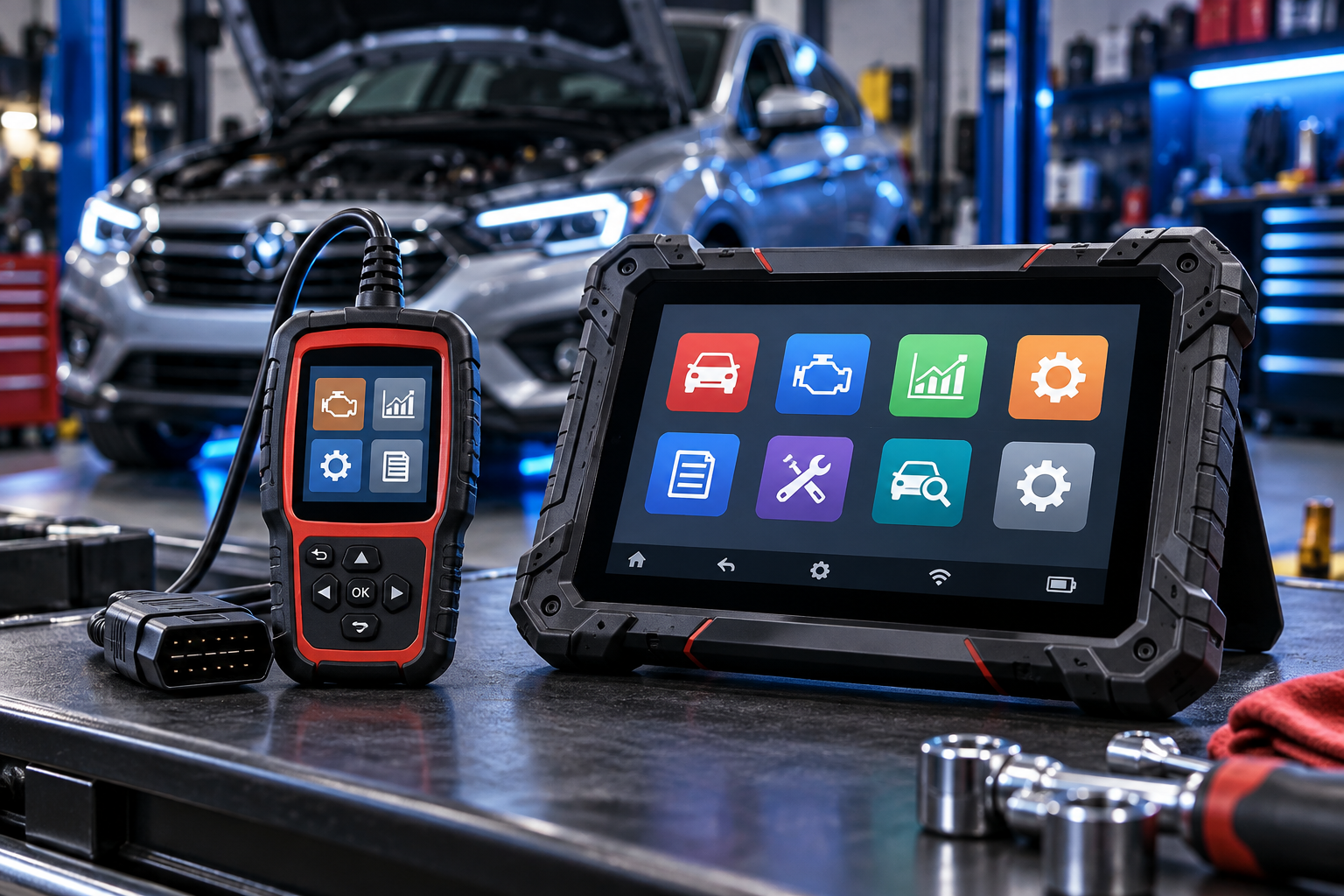
Choosing between an OBD2 scanner vs diagnostic tablet can be confusing, especially if you are new to automotive diagnostics. Both tools can help identify vehicle problems, but they differ significantly in capability, complexity and the type of user they are designed for.
For many drivers and DIY beginners, a straightforward OBD2 scanner may provide everything needed to investigate a check-engine light and read common engine-related trouble codes. A diagnostic tablet can go much further, but the additional capability can also bring more complexity.
An OBD2 scanner is generally the simpler choice for reading and clearing common diagnostic trouble codes and viewing basic vehicle data. A diagnostic tablet is typically designed for deeper vehicle diagnostics and may support additional systems, service functions, live-data analysis and advanced testing. The right choice depends on what you actually need to diagnose.
What Is an OBD2 Scanner?
An OBD2 scanner is a diagnostic tool that communicates with a vehicle through its OBD-II diagnostic port. For compatible vehicles, it can retrieve diagnostic trouble codes generated when the vehicle detects certain problems.
Basic scanners are often focused on engine and emissions-related diagnostics. Depending on the model, they may also display code definitions, freeze-frame information, emissions readiness information and live sensor data.
This makes a basic scanner useful for a driver who sees a check-engine light and wants more information before deciding what to inspect, repair or discuss with a technician.
What Is a Diagnostic Tablet?
A diagnostic tablet is generally a more capable automotive diagnostic platform. Instead of concentrating primarily on standard OBD-II information, many tablets are designed to communicate with multiple vehicle systems.
Depending on the specific tool and vehicle, those systems may include the engine, transmission, anti-lock braking system, airbags, body electronics and other control modules.
More advanced diagnostic platforms may also offer service functions, enhanced live data, active tests or bidirectional controls. Exact capabilities vary significantly by tool, vehicle make, model, year and software coverage, so compatibility should always be checked before purchasing.
OBD2 Scanner vs. Diagnostic Tablet: Key Differences
The table illustrates the general difference between the two categories, but it should not be treated as a compatibility chart. Diagnostic capability varies widely between individual products and vehicles.
What Can a Basic OBD2 Scanner Do?
A basic OBD2 scanner can be surprisingly useful when your goal is to understand common engine-related problems rather than perform advanced module diagnostics.
- Read diagnostic trouble codes. Retrieve codes associated with many check-engine-light conditions.
- Clear supported trouble codes. Many scanners can clear codes after the underlying problem has been addressed.
- Display code definitions. Some tools provide a basic description of the retrieved code.
- Check emissions readiness. This can help you see whether supported emissions monitors have completed their self-tests.
- View live data. Many scanners display information from supported sensors while the vehicle is operating.
- View freeze-frame data. Some scanners can display a snapshot of operating conditions recorded when a fault was detected.
For someone learning basic automotive diagnostics, these functions can provide a useful starting point without introducing the complexity of a professional-style diagnostic platform.
What Can a Diagnostic Tablet Do?
A diagnostic tablet can expand the diagnostic process beyond standard OBD-II functions. The exact features depend heavily on the tool and its vehicle coverage.
Multiple Vehicle Systems
Many tablets can communicate with additional modules such as ABS, airbags, transmission and body-control systems on supported vehicles.
Advanced Live Data
Larger displays and more advanced software can make it easier to monitor, organize and compare multiple data parameters.
Service Functions
Some platforms include maintenance-related functions such as service resets or other vehicle-specific procedures.
Active Testing
Certain advanced tablets can command supported components or systems for diagnostic testing. This capability is often called bidirectional control.
These capabilities can be valuable when troubleshooting more complicated problems, but more features do not automatically make a tool a better choice for every owner.
Which One Is Easier for Beginners?
For most beginners, a basic OBD2 scanner is easier to learn. The interface is generally focused on a smaller number of tasks, and the diagnostic information is less overwhelming.
A diagnostic tablet can display substantially more information. That becomes valuable when you know how to interpret it, but additional data can create confusion if you are still learning the fundamentals of automotive diagnosis.
When Is an OBD2 Scanner Enough?
A basic scanner may be all you need when your primary goal is to investigate common check-engine-light problems, retrieve standard trouble codes or learn basic vehicle diagnostics.
An OBD2 scanner makes particular sense when you:
- Want to understand why the check-engine light is on.
- Need to read and clear common supported engine codes.
- Want access to basic live data without a complicated interface.
- Are beginning to learn DIY automotive diagnostics.
- Do not currently need advanced module access or service functions.
When Does a Diagnostic Tablet Make More Sense?
A diagnostic tablet becomes more attractive when your diagnostic needs extend beyond standard engine codes or when you regularly work on multiple vehicle systems.
A tablet may make more sense when you:
- Need access to additional vehicle modules on supported vehicles.
- Frequently diagnose ABS, airbag, transmission or other system faults.
- Want more advanced live-data capabilities.
- Need supported service or maintenance functions.
- Understand how to use advanced diagnostic information.
- Work on multiple vehicles and need broader diagnostic coverage.
Features That Matter Most
Vehicle Compatibility
Compatibility should come before the length of the feature list. A tool can advertise dozens of functions, but those functions may not be available on every vehicle.
Check the manufacturer’s current compatibility information for the exact vehicle make, model and year you intend to diagnose.
Systems You Need to Diagnose
Think about the actual problems you expect to investigate. If you mainly want to read check-engine codes, paying for extensive advanced functions may provide little practical benefit.
Live Data
Live data can help you observe how supported sensors and systems behave while the vehicle is operating. Beginners may only need a few basic parameters, while experienced users may benefit from more advanced graphing and data-management capabilities.
Software and Updates
Diagnostic tablets often rely more heavily on software coverage and updates than simple code readers. Before choosing one, investigate how the manufacturer handles updates, supported vehicles and any ongoing requirements associated with the specific product.
Interface and Learning Curve
A tool that you understand and can use confidently is often more valuable than one with dozens of functions you never use. Consider screen size, menu organization, documentation and the complexity of the diagnostic workflow.
Common Mistakes When Choosing a Diagnostic Tool
Buying More Tool Than You Need
Advanced features can sound attractive, but a simpler scanner may be the more practical choice when your needs are limited to basic diagnostics.
Ignoring Compatibility
Never assume every advertised function works on every vehicle. Check coverage before purchasing.
Replacing Parts From a Code Alone
A diagnostic trouble code is evidence for the diagnostic process, not an automatic instruction to replace a particular component.
Choosing Only by Feature Count
Usability, vehicle coverage and the functions you actually need are often more important than the largest feature list.
Frequently Asked Questions
Is an OBD2 scanner the same as a diagnostic tablet?
No. A basic OBD2 scanner generally focuses on standard OBD-II diagnostics, while a diagnostic tablet may provide access to additional vehicle systems and more advanced functions.
Do beginners need a diagnostic tablet?
Usually not for basic check-engine-light diagnostics. A straightforward OBD2 scanner is often easier for someone who is just learning to retrieve codes and understand basic vehicle data.
Can an OBD2 scanner diagnose ABS or airbag problems?
Basic OBD2 scanners generally focus on engine and emissions-related information. Some enhanced scanners can access additional systems, but this depends on the specific tool and vehicle.
Can a diagnostic tablet read regular OBD2 codes?
Many automotive diagnostic tablets include standard OBD-II functions in addition to their more advanced capabilities. Always verify the specifications and vehicle coverage of the individual tool.
Does a trouble code tell me exactly which part is bad?
Not necessarily. A trouble code indicates a condition or system in which a problem has been detected. Additional diagnosis may be necessary before deciding which repair is appropriate.
Which is better for a home garage?
It depends on the work being performed. A basic scanner may be sufficient for occasional engine diagnostics, while an advanced DIY user working across multiple vehicle systems may benefit from a more capable diagnostic platform.
Final Thoughts
The difference between an OBD2 scanner and a diagnostic tablet is not simply that one is basic and the other is advanced. The more important question is how much diagnostic capability you actually need.
For a beginner who primarily wants to investigate a check-engine light, read common trouble codes and learn basic vehicle diagnostics, a straightforward OBD2 scanner can be an excellent starting point.
A diagnostic tablet becomes more useful as your work expands into additional vehicle systems, advanced live data, service functions or active testing. Before choosing either type of tool, focus on vehicle compatibility and the functions that match the work you expect to perform.
Need a Simple OBD2 Scanner?
If a basic scanner sounds like the right fit, our beginner buying guide compares three straightforward options and explains what to look for before choosing one.
Continue Learning
Explore Automotive Gear:
Visit the Automotive Gear Hub →
Compare Beginner Scanners:
Best OBD2 Scanners for Beginners →
Not sure where to start?
Try the PickRightGear Gear Advisor →