
Introduction
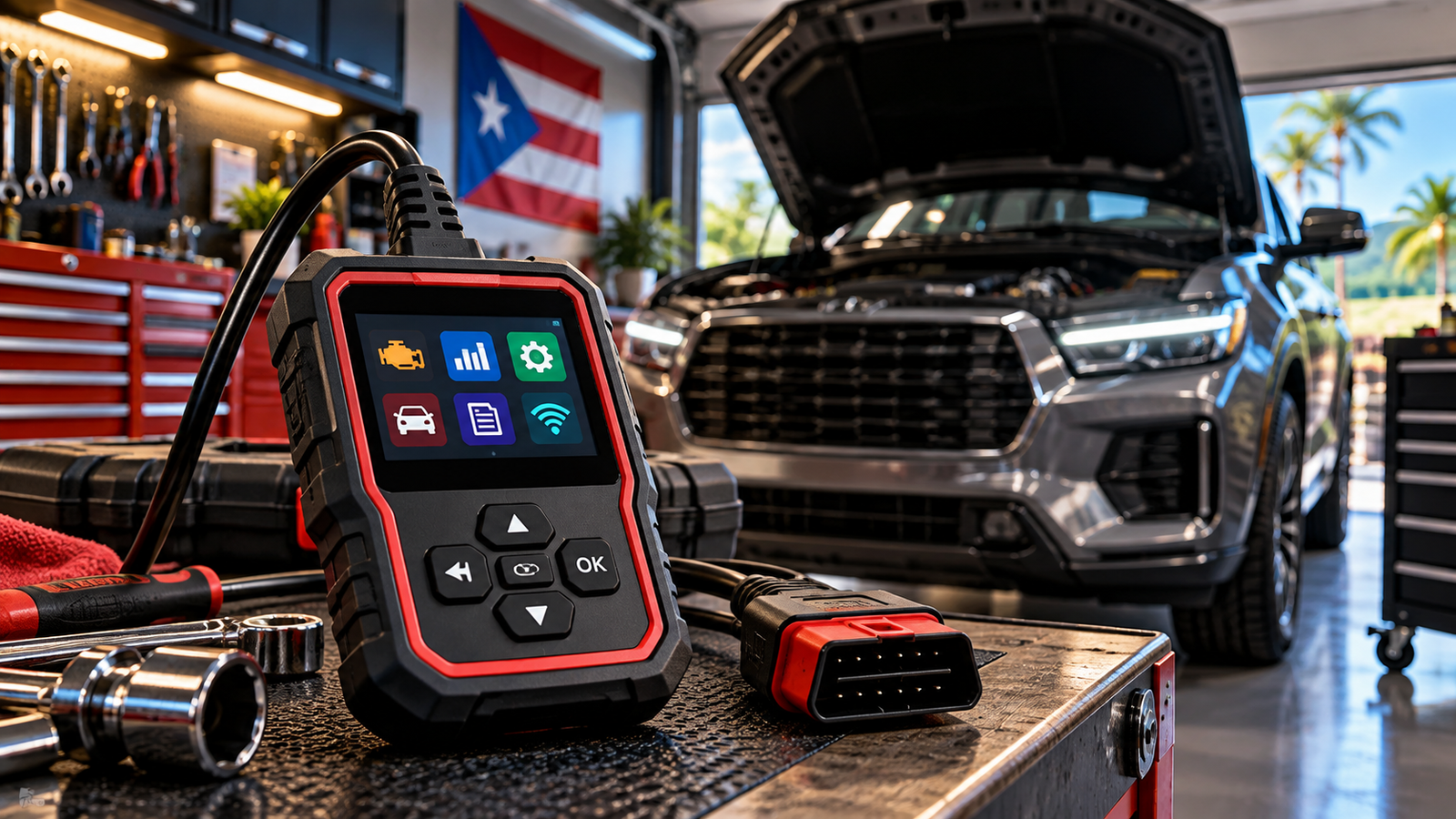
Choosing your first OBD2 scanner can be confusing. Some models simply read and clear check-engine codes, while others provide live data, enhanced diagnostics, wireless connectivity, and more advanced functions.
The right scanner depends on what you actually want to do with it. A basic code reader may be enough for checking a warning light at home, while DIY enthusiasts may benefit from additional diagnostic capabilities.
In this guide, we’ll explain the most important features beginners should understand and compare several scanner options to help you choose the right tool for your needs.
Quick Answer
For most beginners, start with an OBD2 scanner that is easy to operate, clearly presents diagnostic trouble codes, supports live data, and works with the vehicles you plan to diagnose. You usually don’t need professional-level programming features for basic home diagnostics.
Our Top Picks
Choosing an OBD2 scanner doesn’t have to be complicated. For beginners, the best choice depends on whether you want a simple handheld tool, a wireless scanner that works with your smartphone, or a more capable diagnostic tool for DIY vehicle maintenance.
ANCEL AD310 — Best for Simple Diagnostics
The ANCEL AD310 is a straightforward handheld OBD2 scanner designed for drivers who want an easy way to check common engine-related problems. It can read and clear diagnostic trouble codes, display live data, access freeze-frame information, and check emissions readiness without requiring a smartphone or separate battery.
Best for: Beginners who want a simple plug-and-play scanner.
Key advantages:
- Easy standalone operation
- Reads and clears engine trouble codes
- Live data and freeze-frame information
- No smartphone required
- Powered directly through the vehicle’s OBD2 port
Veepeak OBDCheck BLE — Best Bluetooth Option
The Veepeak OBDCheck BLE is a compact wireless OBD2 adapter that connects compatible vehicles to a smartphone or tablet. Instead of using a built-in screen, diagnostic information is displayed through a compatible third-party app.
This makes it an attractive option for beginners who prefer using their phone and want the flexibility to choose from different diagnostic apps.
Best for: Drivers who want an affordable wireless diagnostic setup.
Key advantages:
- Bluetooth connectivity
- Compatible with iOS and Android
- Compact design
- Supports common OBD2 diagnostic functions
- Works with multiple compatible apps
Keep in mind: Available features and potential app costs depend on the diagnostic app you choose.
BlueDriver Pro — Best for More Advanced DIY Diagnostics
BlueDriver Pro is designed for users who want more diagnostic capability while maintaining a beginner-friendly smartphone interface. In addition to standard OBD2 functions, it can provide enhanced diagnostics on supported vehicles, live data, freeze-frame information, and Repair Reports through the BlueDriver app.
Best for: Beginners and DIY vehicle owners who expect to perform more diagnostics over time.
Key advantages:
- Wireless Bluetooth operation
- iOS and Android support
- Standard and supported enhanced diagnostics
- Live diagnostic data
- Repair Reports
- No BlueDriver subscription required
OBD2 Scanner Comparison
The three scanners in this guide are designed for different types of beginners. This quick comparison can help you understand the main differences between them.
Disclosure: The product links below are paid affiliate links. As an Amazon Associate I earn from qualifying purchases.
| Scanner | Best For | Connection | View Product |
|---|---|---|---|
| ANCEL AD310 | Simple diagnostics | Wired | View on Amazon |
| Veepeak OBDCheck BLE | Wireless diagnostics | Bluetooth | View on Amazon |
| BlueDriver Pro | More advanced DIY diagnostics | Bluetooth | View on Amazon |
What to Look for in an OBD2 Scanner
You don’t necessarily need the scanner with the longest feature list. For a beginner, ease of use, vehicle compatibility, and access to useful diagnostic information are usually more important.
Vehicle Compatibility
Before purchasing any scanner, verify that it supports your vehicle and the diagnostic functions you want to use. Basic OBD2 engine diagnostics are widely supported on compatible vehicles, but enhanced systems and manufacturer-specific functions can vary considerably.
Wired vs. Bluetooth
Traditional handheld scanners connect directly to the vehicle and display information on their own screen. They are convenient when you want a dedicated diagnostic tool without depending on another device.
Bluetooth adapters communicate with a smartphone or tablet. They can provide a more modern interface and additional flexibility, but they depend on compatible software or apps.
Code Reading and Clearing
One of the most important beginner features is the ability to read diagnostic trouble codes associated with the check-engine light.
A scanner can help identify the code stored by the vehicle, but the code itself does not always identify the exact component that should be replaced. Treat diagnostic codes as a starting point for troubleshooting rather than an automatic repair recommendation.
Live Data
Live data allows you to view information reported by supported vehicle sensors while the engine is operating. Depending on the vehicle and scanner, this may include engine speed, coolant temperature, fuel-system information, sensor readings, and other diagnostic parameters.
Beginners may not use every available data point immediately, but live data becomes increasingly useful as diagnostic skills improve.
Enhanced Diagnostics
Basic OBD2 scanners generally focus on emissions-related engine diagnostics. More capable tools may provide access to additional supported vehicle systems.
If you only want to investigate a check-engine light, basic functionality may be sufficient. If you expect to perform more DIY diagnostics in the future, broader vehicle-system coverage may be worth considering.
Ease of Use
A diagnostic tool is only useful if you are comfortable using it. Beginners should look for clear menus, readable information, straightforward controls, and good documentation.
More features do not automatically make a scanner a better choice. The right tool is the one that provides the diagnostic capabilities you actually need without making routine tasks unnecessarily complicated.
How to Use an OBD2 Scanner
Although individual scanners and vehicles can differ, the basic diagnostic process is usually straightforward.
- Locate the OBD2 port. It is commonly found underneath the dashboard near the driver’s side.
- Connect the scanner. Plug a handheld scanner or Bluetooth adapter securely into the diagnostic port.
- Follow the scanner instructions. Depending on the tool, you may need to turn the ignition on or start the vehicle.
- Scan for diagnostic trouble codes. Allow the scanner or compatible app to communicate with the vehicle.
- Record the codes. Save or write down the diagnostic information before clearing anything.
- Research the problem. A trouble code identifies an area that requires diagnosis; it does not necessarily prove that a particular component has failed.
Frequently Asked Questions
What is an OBD2 scanner?
An OBD2 scanner is a diagnostic tool that communicates with a compatible vehicle’s onboard diagnostic system. Depending on the scanner, it can read diagnostic trouble codes, display vehicle data, check emissions-related information, and perform additional diagnostic functions.
Can a beginner use an OBD2 scanner?
Yes. Many basic OBD2 scanners are designed for straightforward operation and can be useful for drivers who want to understand why a check-engine light has appeared before deciding what to do next.
Can an OBD2 scanner tell me exactly what is wrong with my car?
Not always. A trouble code indicates that the vehicle’s computer detected a problem within a particular system or operating condition. Additional diagnosis may be necessary to determine the actual cause.
Is a Bluetooth OBD2 scanner better than a wired scanner?
Neither format is automatically better. Wired scanners provide a dedicated device that does not require a phone, while Bluetooth scanners can provide a convenient wireless interface through compatible apps. The better choice depends on how you prefer to work.
Do I need an expensive professional scanner?
Not for basic diagnostics. Beginners who primarily want to investigate check-engine lights and view common OBD2 information can often start with a simpler scanner. More advanced tools become useful when you need broader system coverage or specialized diagnostic functions.
Will an OBD2 scanner work with every vehicle?
No scanner should be assumed to support every vehicle or every diagnostic function. Always verify vehicle, model-year, system, and feature compatibility before purchasing a diagnostic tool.
Final Thoughts
The best OBD2 scanner for a beginner depends more on how you plan to use it than on having the largest number of features.
A straightforward handheld scanner such as the ANCEL AD310 can make sense if you want a dedicated tool for basic diagnostics. A Bluetooth adapter such as the Veepeak OBDCheck BLE provides a smartphone-based approach, while BlueDriver Pro offers additional diagnostic capabilities for DIY users who expect their needs to grow.
Whichever option you consider, check vehicle compatibility and understand the functions you actually need before purchasing. A good scanner should help you make more informed diagnostic decisions—not encourage you to replace parts based on a trouble code alone.
Ready to Compare Your Options?
Check the current product details and availability on Amazon before making your final decision.
Disclosure: The product links below are paid affiliate links. As an Amazon Associate I earn from qualifying purchases.
ANCEL AD310
A straightforward wired option for beginners who want simple engine-code diagnostics without using a smartphone.
Veepeak OBDCheck BLE
A compact Bluetooth option for drivers who prefer viewing diagnostic information through a compatible smartphone app.
BlueDriver Pro
A wireless diagnostic option for DIY users who want broader supported diagnostic capabilities and room to grow.
Continue Learning
Explore more automotive diagnostic guides from PickRightGear as we cover OBD2 tools, TPMS equipment, battery and electrical testing, key programming, and other useful garage equipment.
Affiliate Disclosure: As an Amazon Associate I earn from qualifying purchases.
1 thought on “Best OBD2 Scanners for Beginners”