
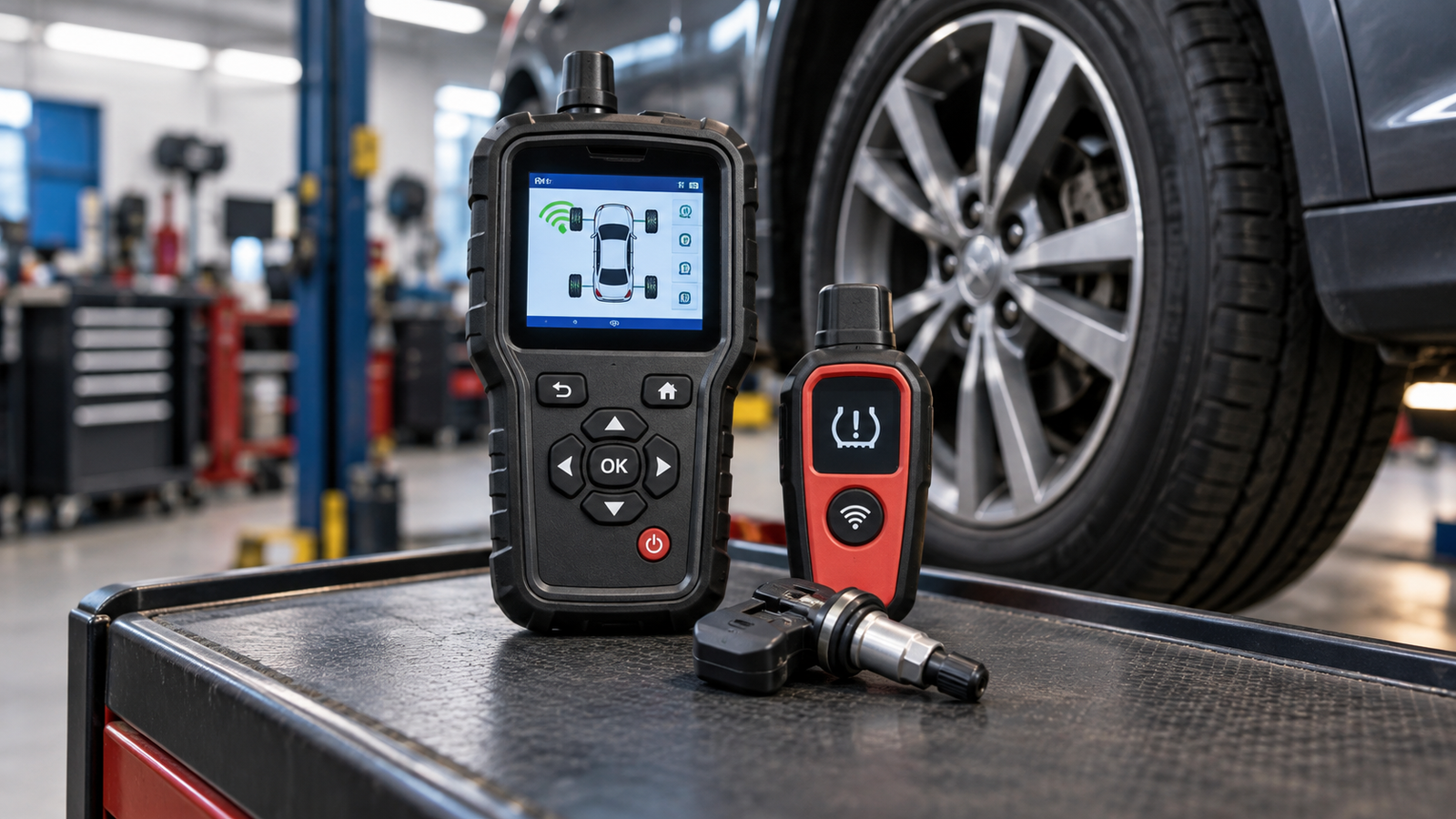
A tire pressure monitoring system can warn you when tire pressure drops, but servicing or replacing TPMS sensors may require more than simply adding air to the tires. Depending on the vehicle and the repair, a TPMS tool can help activate sensors, perform relearn procedures, read sensor information, or program compatible replacement sensors.
The important part is understanding that not every TPMS tool performs the same functions. Some inexpensive tools are designed primarily to trigger sensors during a relearn procedure, while more advanced service tools can provide broader vehicle coverage and additional diagnostic or programming capabilities.
What Is a TPMS Tool?
A TPMS tool is an automotive service device designed to work with tire pressure monitoring sensors. These sensors are typically located inside the wheel and transmit tire pressure information to the vehicle.
When tires are rotated, sensors are replaced, wheels are changed, or a TPMS warning remains active, the vehicle may need a sensor activation or relearn procedure. A compatible TPMS tool can help complete that process.
What Does a TPMS Tool Do?
The exact capabilities depend on the tool. A simple activation device and a professional TPMS service tool can look very different and perform very different jobs.
Activate or Trigger TPMS Sensors
One of the most common functions is activating a TPMS sensor so the vehicle can recognize it during a relearn procedure.
This is especially useful after tire rotations or certain sensor-related services when the vehicle needs to learn the position of each wheel again.
Read Sensor Information
More advanced TPMS tools may read information transmitted by compatible sensors, such as sensor identification data and tire pressure information.
This can make troubleshooting easier because the technician or DIY mechanic can gather information directly from the sensor rather than relying only on the dashboard warning light.
Assist With TPMS Relearn Procedures
A relearn procedure allows the vehicle to associate TPMS sensors with the correct wheel positions or register replacement sensors with the vehicle.
The exact procedure varies by manufacturer, model, year, and TPMS system. Always confirm the correct procedure and tool compatibility for the specific vehicle.
Program Replacement Sensors
Some advanced TPMS tools can program certain compatible aftermarket replacement sensors. This is different from simply activating or relearning an existing sensor.
Programming capability is therefore an important feature to check if you plan to replace sensors rather than only perform routine relearn procedures.
TPMS Activation Tool vs. TPMS Service Tool
The biggest difference is capability.
A basic activation or relearn tool is usually designed for a narrower purpose. It may trigger compatible sensors so the vehicle can complete a relearn procedure.
A more advanced TPMS service tool may provide broader vehicle coverage, sensor data, diagnostic functions, relearn assistance, and programming support for specific replacement sensors.
- Basic activation tool: Simple sensor triggering and relearn assistance on compatible vehicles.
- Mid-level TPMS tool: Broader activation, sensor information, and relearn capabilities.
- Advanced TPMS service tool: More extensive diagnostics and programming support for compatible sensors.
Who Needs a TPMS Tool?
DIY Vehicle Owners
A vehicle owner who rotates tires, replaces wheels, or performs routine maintenance at home may benefit from a basic TPMS relearn tool if the vehicle requires manual sensor activation.
The key is vehicle compatibility. A simple inexpensive tool can be useful when it supports the exact vehicle and procedure you need.
Home Mechanics
Someone maintaining several vehicles may benefit from a TPMS tool with broader coverage. Being able to activate sensors and perform relearn procedures across multiple vehicles can make a more capable tool worthwhile.
Tire Shops and Professional Technicians
Professional users generally need broader coverage and more advanced functionality because they work with many vehicle makes, sensor types, and repair situations.
For this type of use, sensor diagnostics and programming support can become much more important than basic activation alone.
Three TPMS Tools to Compare
The following examples show how TPMS tools can fit different maintenance and service needs.
Disclosure: The product links below are paid affiliate links. As an Amazon Associate I earn from qualifying purchases.
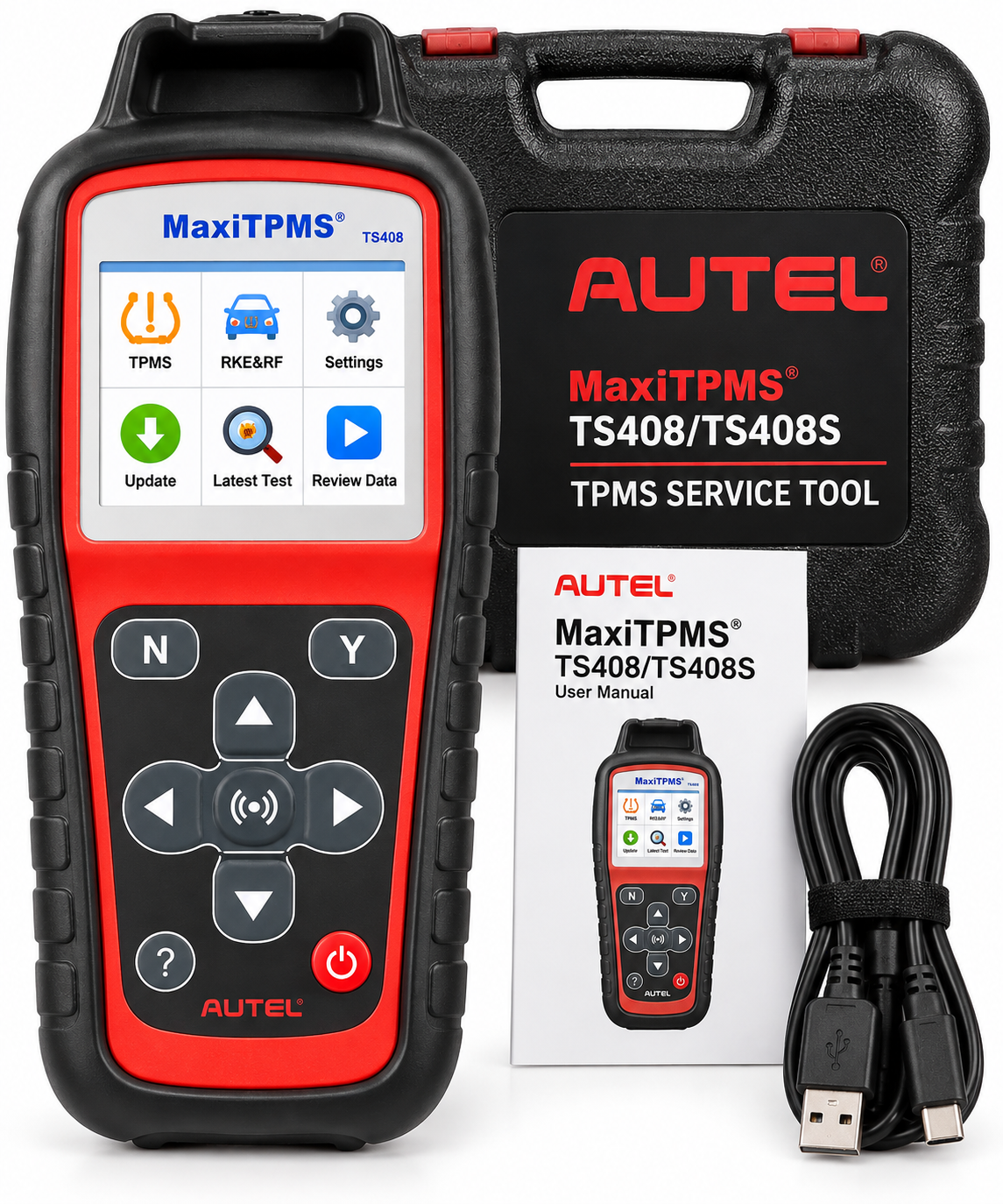
Autel MaxiTPMS TS408 / TS408S
A dedicated TPMS service tool for users looking for sensor activation, relearn assistance, and TPMS diagnostic capabilities on compatible vehicles.
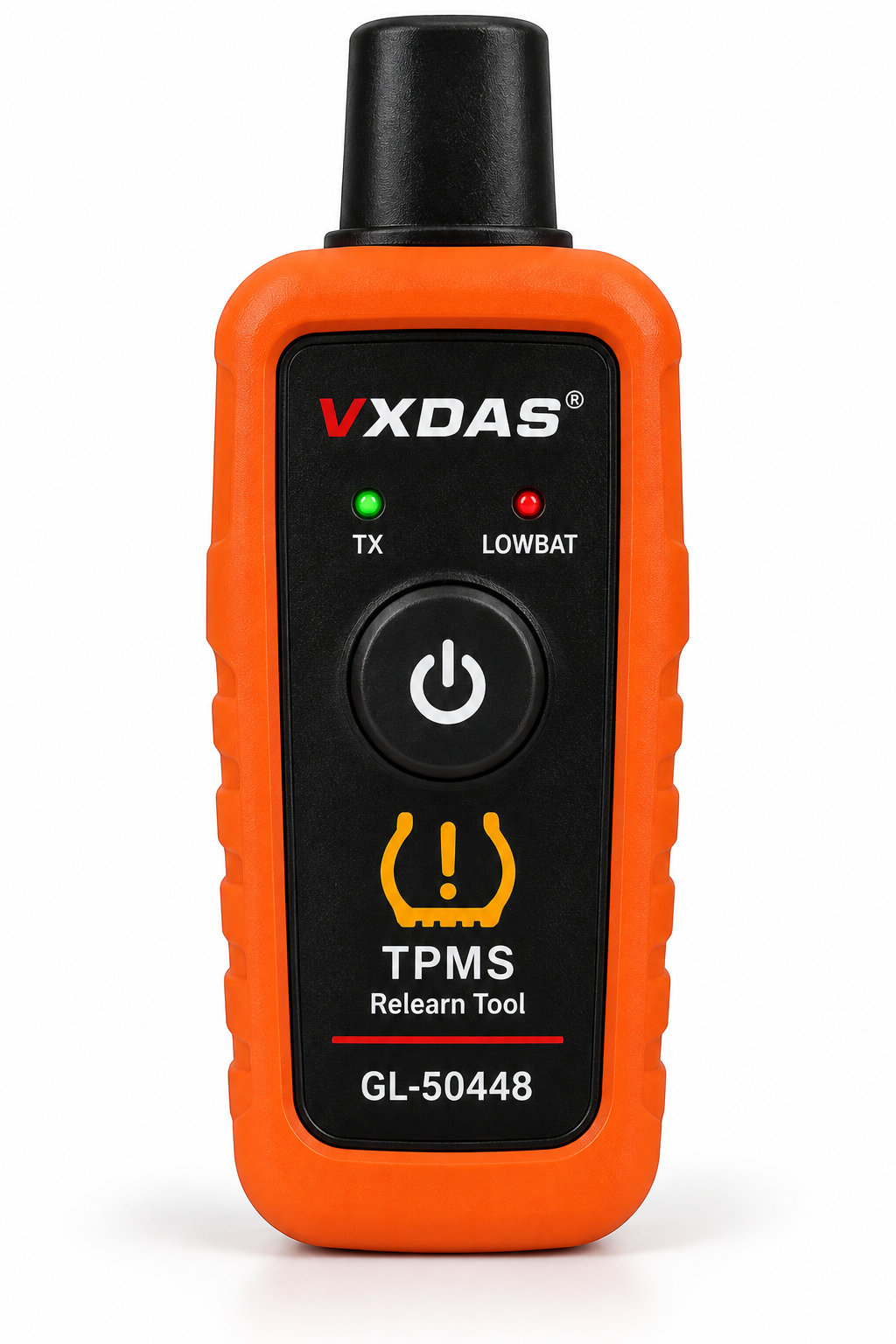
VXDAS GL50448 TPMS Relearn Tool
A simple activation and relearn option for compatible vehicles when basic sensor triggering is the main job you need to perform.
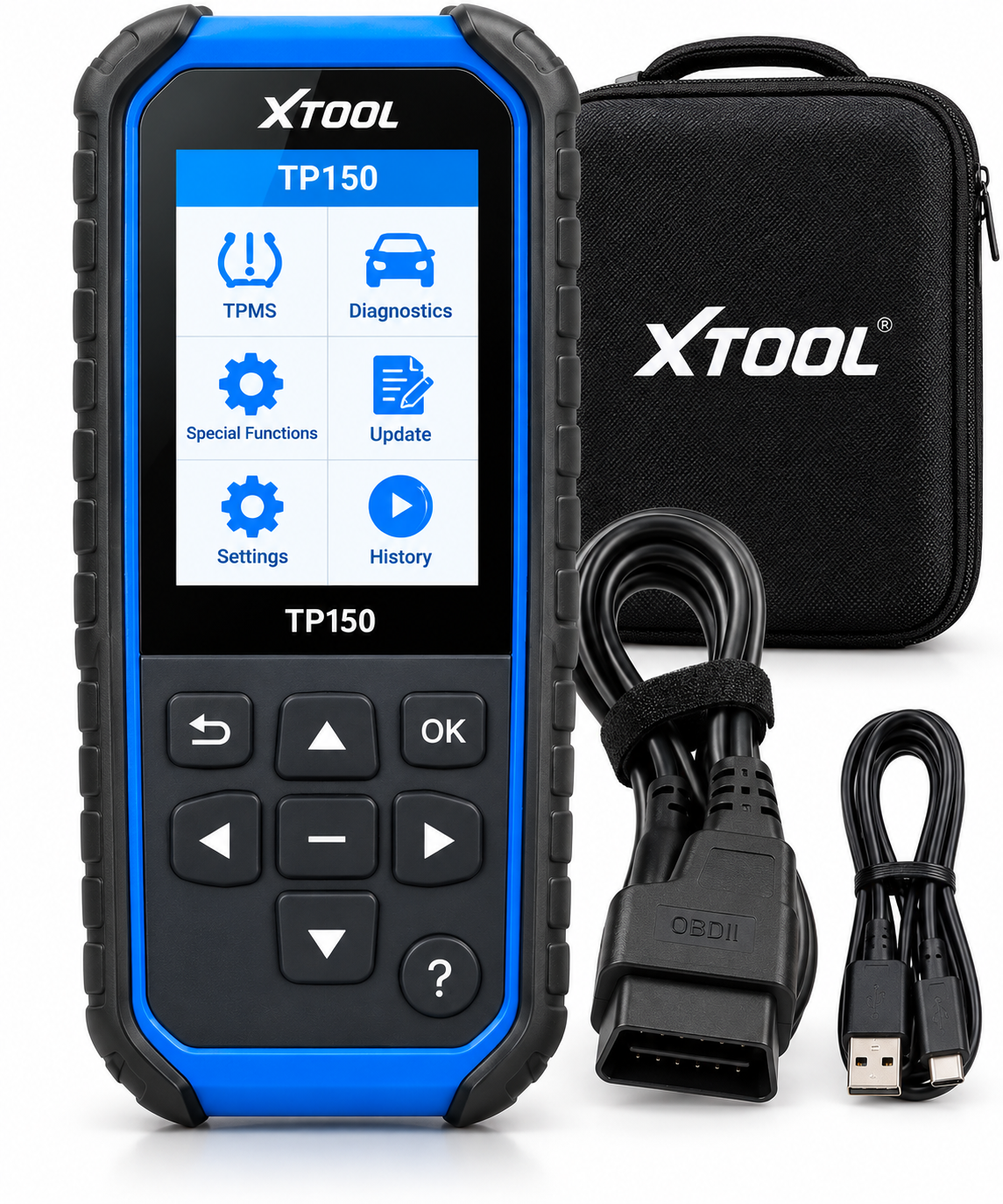
XTOOL TP150 TPMS Programming Tool
A more advanced TPMS option for users interested in sensor activation, relearn, diagnosis, and compatible sensor programming functions.
What to Look for in a TPMS Tool
Vehicle Coverage
Compatibility should be the first consideration. A tool can have excellent features but still be useless if it does not support the vehicle you are servicing.
Check the manufacturer’s current compatibility information for the exact year, make, model, and TPMS system before purchasing.
Activation vs. Programming
These terms are not interchangeable.
Activation means triggering a sensor so it transmits information. Programming generally means configuring a compatible replacement sensor with the information required for the vehicle.
If you only need to perform a tire rotation relearn, programming capability may not be necessary.
Relearn Support
Different vehicles use different relearn methods. Some may use automatic procedures, others require manual activation, and some require communication through the vehicle’s diagnostic system.
Choose a tool that supports the relearn procedures required by the vehicles you expect to service.
Sensor Data
Advanced tools may provide sensor information that can help identify a weak, missing, or malfunctioning sensor.
This can be particularly useful when troubleshooting a persistent TPMS warning rather than simply performing routine maintenance.
Ease of Use
A more expensive tool is not automatically the best choice for every user. A simple tool with one primary function can be easier and faster when that function is all you need.
For users servicing multiple vehicles, however, a screen-based interface and broader functionality may provide significantly more value.
Can an OBD2 Scanner Read TPMS Sensors?
A basic OBD2 scanner is primarily designed to communicate with standardized emissions-related engine diagnostics. TPMS is a separate vehicle system, so basic OBD2 scanners generally should not be assumed to provide TPMS sensor service functions.
Some more advanced diagnostic tools include manufacturer-specific TPMS capabilities, but those features depend on the scanner and vehicle.
For a deeper explanation of scanner capabilities, see What Can an OBD2 Scanner Diagnose? and How to Choose an OBD2 Scanner.
Do You Need an Expensive TPMS Tool?
Not necessarily.
If you own one compatible vehicle and only need to perform a basic relearn after rotating tires, a simple activation tool may be enough.
If you maintain multiple vehicles, diagnose TPMS problems, replace sensors regularly, or need sensor programming capability, investing in a more advanced service tool may make more sense.
The right choice depends on the job rather than simply choosing the tool with the most features.
Final Thoughts
TPMS tools range from inexpensive single-purpose activation devices to advanced service tools capable of diagnosing and programming compatible sensors.
For occasional DIY maintenance, a basic relearn tool may handle everything you need. Home mechanics working on several vehicles may benefit from broader coverage, while professional users are more likely to need advanced diagnostic and programming functions.
Before choosing any TPMS tool, identify the exact task you need to perform and confirm compatibility with your vehicle. That simple step can prevent buying a tool that has the right name but the wrong capabilities.
Use the PickRightGear Gear Advisor to narrow down the type of gear that matches the job you are trying to complete.
Continue Learning
Continue with Best OBD2 Scanners for Beginners, compare formats in Bluetooth vs. Handheld OBD2 Scanner, browse more Automotive guides, or use the PickRightGear Gear Advisor.
Affiliate Disclosure: As an Amazon Associate I earn from qualifying purchases.