

A cordless drill is one of the most useful power tools in a woodworking shop. It can drill holes, drive screws, assemble furniture, install hardware, build shop fixtures, and handle many everyday woodworking tasks without requiring a power cord.
Choosing the right cordless drill means looking beyond brand name and voltage. Chuck size, speed settings, clutch control, battery platform, ergonomics, weight, available accessories, and the type of projects you build can all influence which drill makes the most sense for your workshop.
What Should You Look for in a Cordless Drill?
A good woodworking drill should provide enough versatility for drilling and screw-driving while remaining comfortable enough for repeated use.
- Battery platform and voltage
- Chuck size and bit compatibility
- Variable-speed trigger
- Multiple speed ranges
- Adjustable clutch
- Ergonomics and balance
- Tool weight
- Battery and charger availability
The best drill is not necessarily the model with the largest numbers on the specification sheet. The goal is to choose a tool that matches your projects and integrates well into your workshop.
Cordless Drills to Consider
Disclosure: The product links below are paid affiliate links. As an Amazon Associate I earn from qualifying purchases.

DEWALT 20V MAX Cordless Drill/Driver Kit
A cordless drill-and-driver option for drilling holes, driving fasteners, furniture assembly, and general woodworking projects.
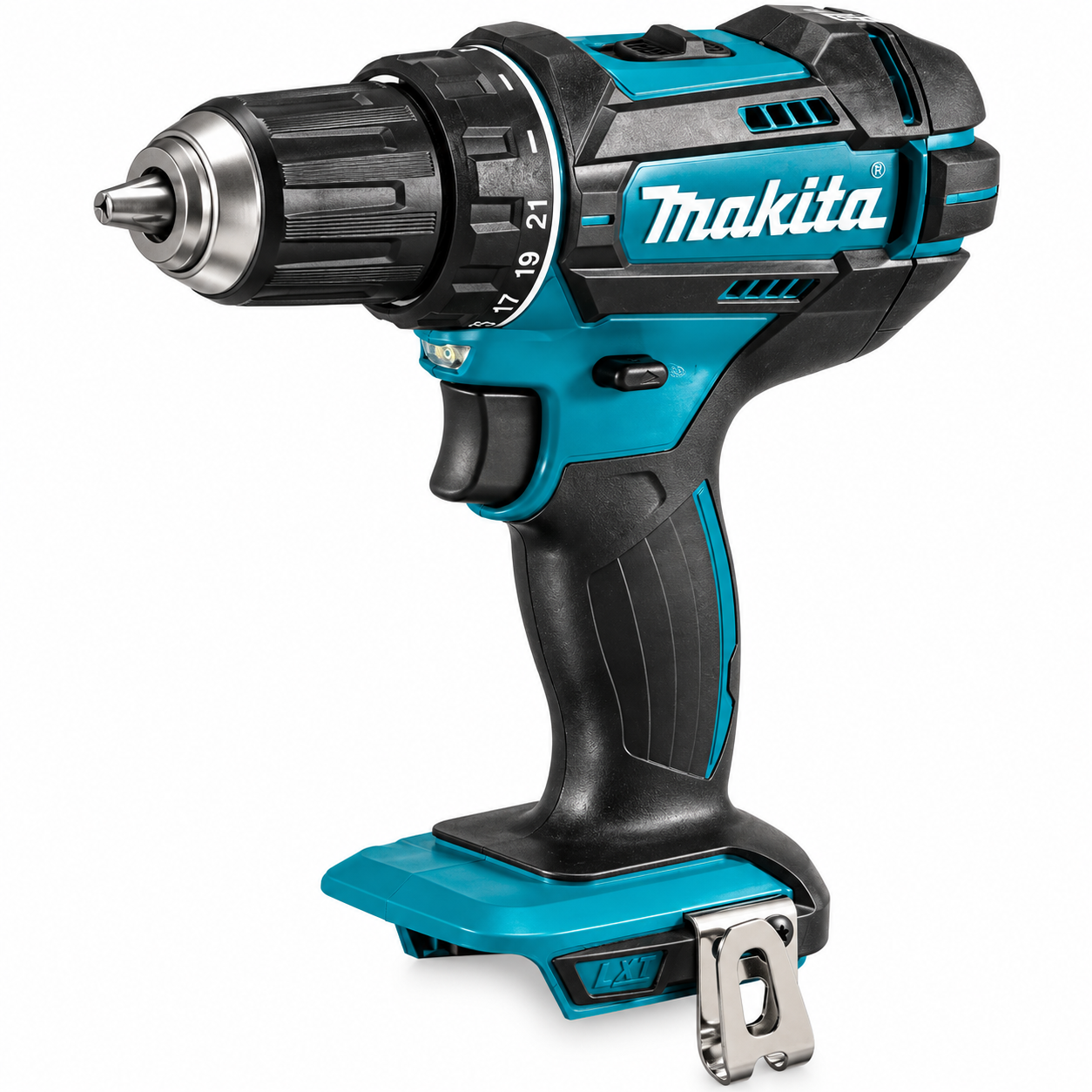
Makita XFD10Z 18V LXT Driver-Drill
An 18V LXT cordless driver-drill option for drilling and fastening tasks in woodworking and general workshop projects.
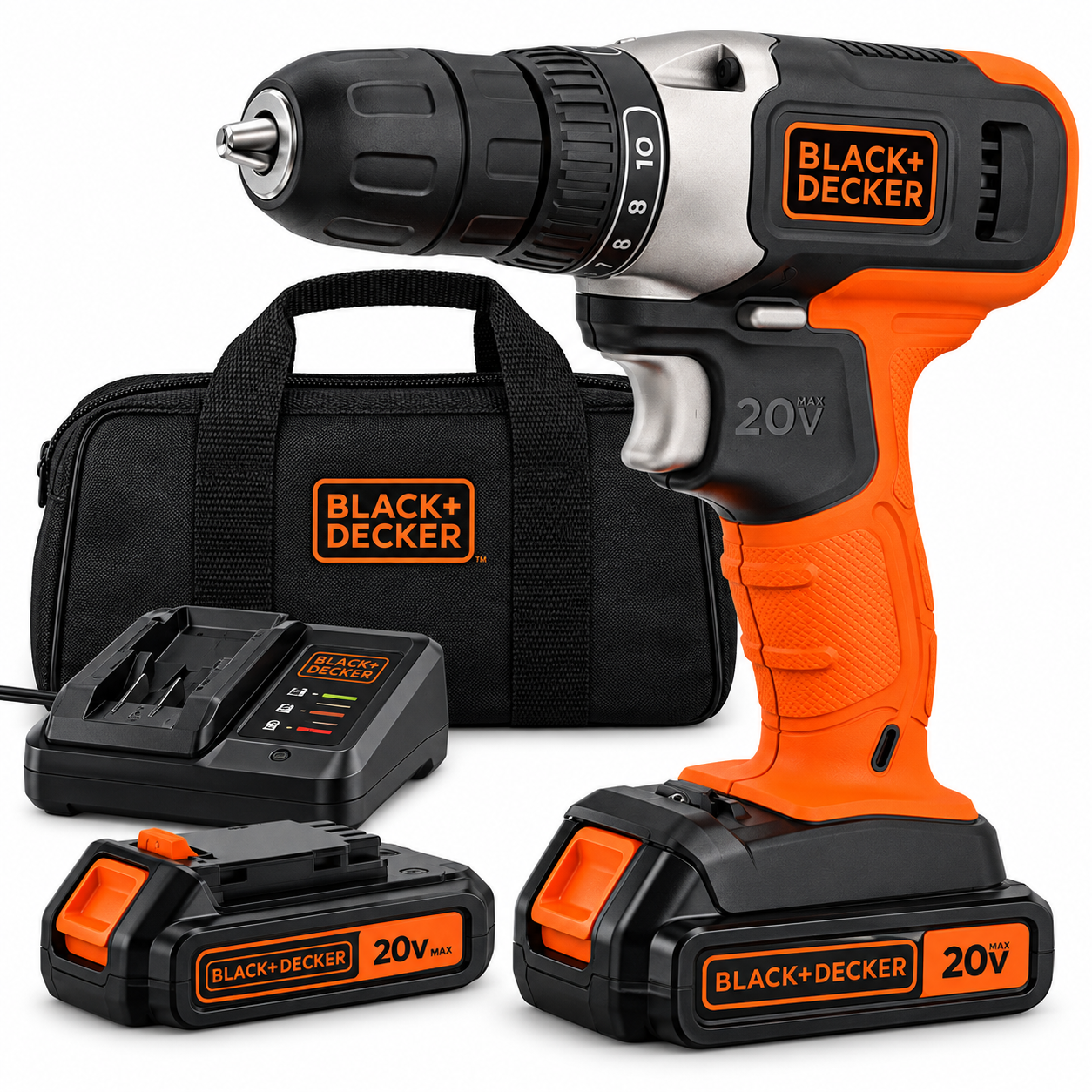
BLACK+DECKER 20V MAX Cordless Drill Kit
A cordless drill kit with battery for common drilling, fastening, assembly, and beginner workshop tasks.
1. Decide What You Will Use the Drill For
Start with the projects you expect to build. A cordless drill used mainly for assembling furniture, installing hinges, drilling pilot holes, and driving screws has different demands than a tool regularly used for larger holes or heavier construction work.
Knowing your most common tasks makes it easier to evaluate the features that actually matter instead of paying for capabilities you may rarely use.
2. Understand Drill Voltage
Cordless drills are available across different battery voltages. Voltage is useful when comparing tools within a manufacturer’s system, but it should not be treated as the only measure of drilling capability.
Motor design, gearing, battery configuration, tool size, and the application itself all affect how a drill performs.
3. Choose a Battery Platform Carefully
The battery platform can be one of the most important long-term considerations when buying a cordless drill.
Manufacturers often offer multiple tools that share compatible batteries within the same system. Once you own batteries and chargers, adding compatible bare tools may become more convenient than starting with another battery platform.
4. Kit vs. Bare Tool
A drill kit generally includes more of the equipment required to begin using the tool, while a bare-tool configuration may omit the battery, charger, or other accessories.
A bare tool can make sense when you already own compatible batteries. If this is your first tool in a battery system, carefully check exactly what is included before purchasing.
5. Check the Chuck Size
The chuck holds the drill bit, driver accessory, or other compatible attachment. Chuck capacity determines the range of bit shank sizes that can be installed.
Before choosing a drill, consider the bits you expect to use and confirm that they are compatible with the chuck on the exact model.
6. Keyless Chucks Make Bit Changes Convenient
Many cordless drills use a keyless chuck that can be tightened and loosened by hand. This makes switching between drill bits and compatible driving accessories convenient during a project.
Always make sure the bit is properly seated and secured before operating the tool.
7. Variable Speed Provides Better Control
A variable-speed trigger allows drill speed to change according to trigger pressure. This can provide greater control when beginning a hole or starting a screw.
Controlled speed is particularly useful when accuracy matters or when a fastener needs to be driven without damaging the workpiece.
8. Multiple Speed Ranges Add Versatility
Some cordless drills provide more than one mechanical speed range. Different ranges can help the drill adapt to different combinations of speed and torque.
Use the manufacturer’s recommended settings for the material, bit, fastener, and application rather than assuming the highest speed is always preferable.
9. Understand the Adjustable Clutch
The clutch helps limit the amount of rotational force delivered while driving fasteners. Adjustable clutch positions can make it easier to control how screws are driven into a workpiece.
This is particularly useful in woodworking, where driving a screw too aggressively can bury the fastener too deeply or damage the surrounding material.
10. Drill Mode and Driving Mode Serve Different Purposes
When driving screws, an appropriate clutch setting can help provide control. When drilling holes, the tool may have a dedicated drilling position that allows the drill to operate without the clutch limiting rotation in the same way.
Consult the exact drill’s manual because controls and recommended operating procedures vary between models.
11. Ergonomics Matter More Than They Seem
A cordless drill may be used repeatedly throughout a project, so grip shape, trigger position, balance, and overall dimensions can affect comfort.
A compact drill may be easier to maneuver inside cabinets or between assembled components, while other users may prefer a larger grip or different balance.
12. Consider Tool Weight
Tool weight becomes more noticeable during long projects, overhead work, or repeated fastening.
Remember that the battery contributes to the total working weight. Compare the complete operating configuration rather than judging the drill only without a battery installed.
13. Battery Capacity Affects Runtime and Weight
Battery capacity influences how long a cordless tool can operate between charges, but larger-capacity batteries may also add size and weight.
For many woodworking tasks, balancing runtime with tool weight can be more useful than automatically choosing the largest battery available.
14. Consider Having a Second Battery
For longer projects, having another compatible battery can reduce interruptions while one battery is charging.
Before buying additional batteries, verify compatibility with your exact drill and charger because manufacturers may offer several battery families.
15. Pay Attention to the Charger
The charger is an important part of a cordless tool system. Kits may include different chargers depending on the product configuration.
Check what charger is included, which batteries it supports, and follow the manufacturer’s instructions for charging and storage.
16. Built-In Lighting Can Be Useful
Many cordless drills include an integrated work light that can help illuminate the drilling or fastening area.
This can be useful inside cabinets, beneath workbenches, or in other areas where the drill itself blocks some of the available light.
17. Think About Drill Bits and Driver Bits
The drill is only part of the system. Bit selection has a major influence on drilling quality and fastening performance.
Choose bits that are appropriate for the material and application, keep cutting edges in usable condition, and replace damaged accessories.
18. Pilot Holes Can Improve Woodworking Results
Pilot holes can help guide screws and may reduce the chance of splitting certain workpieces, particularly near edges or when working with some wood species.
The appropriate pilot-hole size depends on the fastener, material, and application.
19. Countersinking Can Improve Fastener Installation
When a project requires a screw head to sit flush with or below the wood surface, a countersink or appropriate drilling method can create space for the fastener head.
Test your setup on scrap material when appearance or depth is important.
20. Cordless Drill vs. Impact Driver
A cordless drill and an impact driver can both drive fasteners, but they use different mechanisms and are optimized for different tasks.
A drill is particularly versatile because it can perform both drilling and controlled screw-driving. An impact driver can complement it when a project involves fastening tasks suited to that type of tool.
21. Cordless Drill vs. Hammer Drill
A standard drill/driver is intended for common drilling and fastening operations. A hammer drill adds a hammering action intended for appropriate masonry-related applications.
If your projects are primarily woodworking, do not assume you need hammer functionality simply because it is available. Choose features based on the materials you actually expect to work with.
22. Brushless vs. Brushed Motors
Cordless drills may use brushed or brushless motor designs. Brushless motors electronically control the motor rather than using traditional carbon brushes for commutation.
Motor type can influence tool design, efficiency, maintenance characteristics, size, and price, but it should be considered alongside the rest of the drill rather than used as the only buying criterion.
23. Compact Drills Can Help in Tight Spaces
Furniture assembly and cabinet work can require drilling or driving fasteners in confined areas.
A shorter tool body can provide additional maneuverability, but consider overall ergonomics, capability, and battery size rather than selecting a drill by dimensions alone.
24. Torque Numbers Need Context
Torque specifications can help describe a tool, but numbers from different manufacturers are not always the simplest way to determine which drill fits a woodworking project.
Consider the entire tool, including gearing, speed ranges, battery system, ergonomics, and intended applications.
25. Consider the Rest of the Tool Ecosystem
Buying a cordless drill can effectively be the beginning of a larger cordless tool system.
Before committing to a platform, look at the other compatible tools you might realistically add later, such as saws, sanders, lights, or other workshop equipment.
Best Cordless Drill for Beginner Woodworkers
A beginner does not necessarily need the most powerful or expensive drill available. A practical first drill should comfortably handle common drilling and fastening tasks while offering straightforward controls.
Look for useful speed control, an adjustable clutch, compatible batteries that are easy to obtain, comfortable ergonomics, and access to the bits and accessories your projects require.
What Battery Voltage Is Best for Woodworking?
There is no single battery voltage that is automatically best for every woodworker. Different manufacturers organize their cordless systems differently, and project requirements vary.
Instead of selecting a drill based solely on the voltage printed on the tool, consider the complete battery platform, drill specifications, tool size, available accessories, and the work you plan to perform.
Should You Buy a Drill Kit or Tool Only?
If you do not already own compatible batteries and a charger, a kit can provide a more complete starting point.
If you already use a compatible cordless platform, a bare tool may avoid purchasing batteries or chargers you do not need. Always verify the contents of the exact product listing.
Common Cordless Drill Buying Mistakes
- Choosing only by voltage
- Ignoring battery compatibility
- Buying a bare tool without owning a compatible battery
- Ignoring chuck capacity
- Choosing a drill that feels uncomfortable or unnecessarily heavy
- Buying features you are unlikely to use
- Ignoring replacement battery availability
- Using incorrect bits for the material
- Driving screws without learning how to use the clutch
- Failing to check exactly what the kit includes
How to Choose Your First Cordless Drill
Start with the projects you expect to build during the next year. Identify the drilling and fastening tasks those projects require, then compare drills that can reasonably handle those applications.
Next, evaluate battery compatibility, chuck capacity, speed and clutch controls, ergonomics, tool weight, included equipment, and the broader cordless tool platform.
A drill that fits your real woodworking needs and battery strategy can remain useful long after your first projects are complete.
Frequently Asked Questions
Is a cordless drill good for woodworking?
Yes. A cordless drill can perform many common woodworking tasks, including drilling pilot holes, installing hardware, driving screws, assembling furniture, and building workshop fixtures.
Do I need an impact driver if I already have a drill?
Not necessarily. A drill can handle many drilling and fastening tasks by itself. An impact driver can become a useful complementary tool if your projects involve fastening applications where its operating mechanism is advantageous.
What does the clutch on a cordless drill do?
The adjustable clutch helps limit rotational force during screw-driving. This can provide additional control over how deeply a fastener is driven.
Is a higher-voltage drill always better?
No. Voltage alone does not determine whether a drill is better for a particular user. Tool design, battery system, size, weight, speed ranges, ergonomics, and project requirements should all be considered.
Can I use the same battery with different cordless tools?
Many manufacturers offer compatible tools within a battery platform, but compatibility should never be assumed. Verify the exact battery, charger, and tool requirements before purchasing.
Should my first cordless drill come with a battery?
If you do not already own a compatible battery and charger, purchasing a kit that includes the required power equipment can simplify getting started. Check the exact listing because package contents vary.
Final Thoughts
Choosing a cordless drill for woodworking becomes much easier when you focus on the projects you actually plan to build.
Instead of comparing drills only by voltage or headline specifications, consider the chuck, speed control, clutch, battery platform, ergonomics, weight, kit contents, and the other cordless tools you may want to add later.
A well-chosen drill can become one of the most frequently used tools in your workshop and serve as the foundation of a larger cordless tool system.
Compare Cordless Drills for Woodworking
These three cordless drills provide examples of different options for drilling, fastening, assembly, and general woodworking tasks.
Disclosure: The product links below are paid affiliate links. As an Amazon Associate I earn from qualifying purchases.
DEWALT 20V MAX Cordless Drill/Driver Kit
A cordless drill-and-driver option for drilling holes, driving fasteners, furniture assembly, and general woodworking projects.
Makita XFD10Z 18V LXT Driver-Drill
An 18V LXT cordless driver-drill option for drilling and fastening tasks in woodworking and general workshop projects.
BLACK+DECKER 20V MAX Cordless Drill Kit
A cordless drill kit with battery for common drilling, fastening, assembly, and beginner workshop tasks.
Explore the Woodworking Gear Hub, learn Essential Woodworking Tools for Beginners, compare Circular Saw vs. Miter Saw, or use the PickRightGear Gear Advisor to narrow down the tools that fit your workshop.
Continue Learning
Explore Woodworking guides, learn How to Choose a Random Orbital Sander, compare Circular Saw vs. Miter Saw, review Essential Woodworking Tools for Beginners, or use the PickRightGear Gear Advisor.
Affiliate Disclosure: As an Amazon Associate I earn from qualifying purchases.